

One pool, every club
Accounts grouped by club, membership and status, tagged the way you work, and linked into networks under a lead booker.
Fetch.io keeps all your Premier League club accounts in one place — memberships, statuses, proxies, mailboxes and one-time codes — so the setup is done once, not before every on-sale. When a ballot opens, the whole pool enters it at the pace you chose, and you watch every attempt.
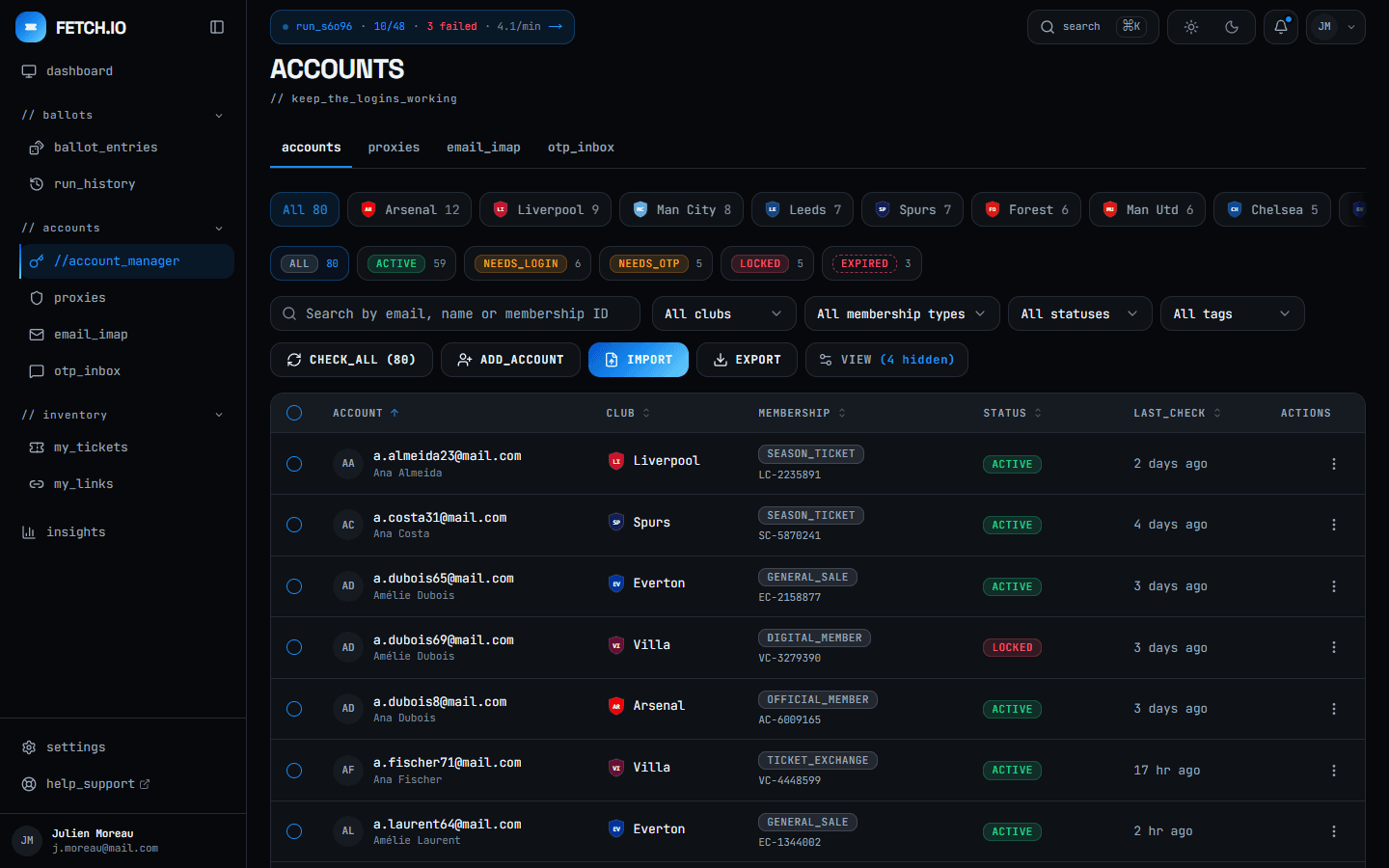
Sign in to each club site, one account at a time, to see which logins still work.
One CHECK_ALL tests every login and sorts the pool into active, needs login, needs code, locked.
Keep a spreadsheet of memberships, expiry dates and which account belongs to which club.
Club, membership type, status and tags live on the account. Filter the pool in two clicks.
Open a mailbox for every one-time code and copy it across before it expires.
Connect the mailboxes over IMAP once; a profile set to IMAP reads each code for you mid-run.
Fill the same ballot form again and again, hoping nothing times out halfway.
Start one run. Every ready account is entered in order, at the pace your profile sets.
Keep notes on which accounts went through and guess why the others did not.
The monitor names each failure and what to change. Retry only the ones that failed.
Accounts grouped by club, membership and status, tagged the way you work, and linked into networks under a lead booker.
Proxy groups, IMAP mailboxes and pacing profiles are configured once and picked by name for every run after.
Import a spreadsheet, check every login, register memberships and export the pool — each a single action, not a hundred.
Pick the accounts, pick a profile, start. The run works through them and shows every attempt as it happens.
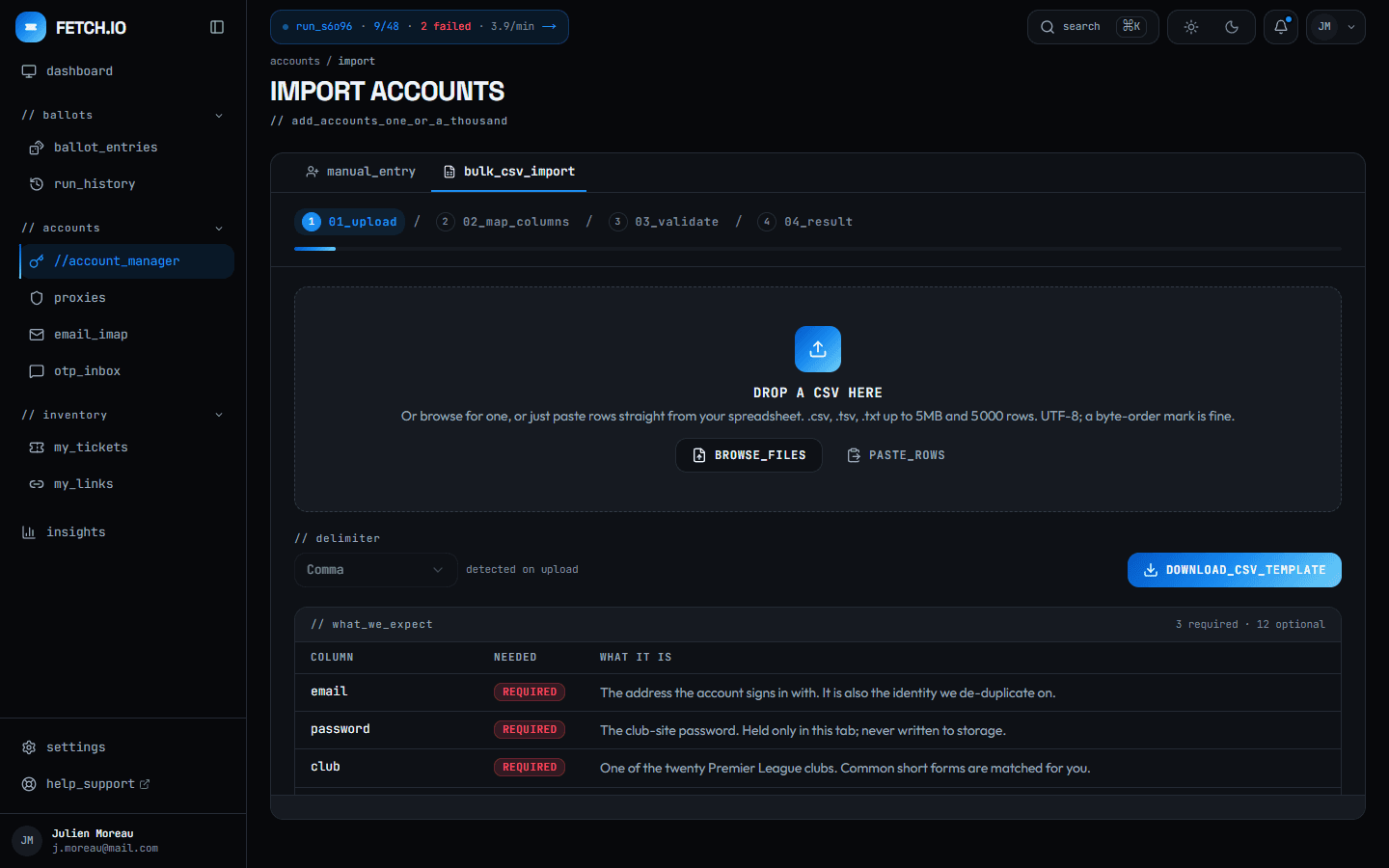
Drop the spreadsheet you already keep. Fetch.io maps its columns, checks every row and tells you what it will skip before anything is saved.
CSV, TSV or rows pasted straight from a sheet
Column choices remembered for the rest of the session
Duplicates caught, and misspelt clubs offered a fix
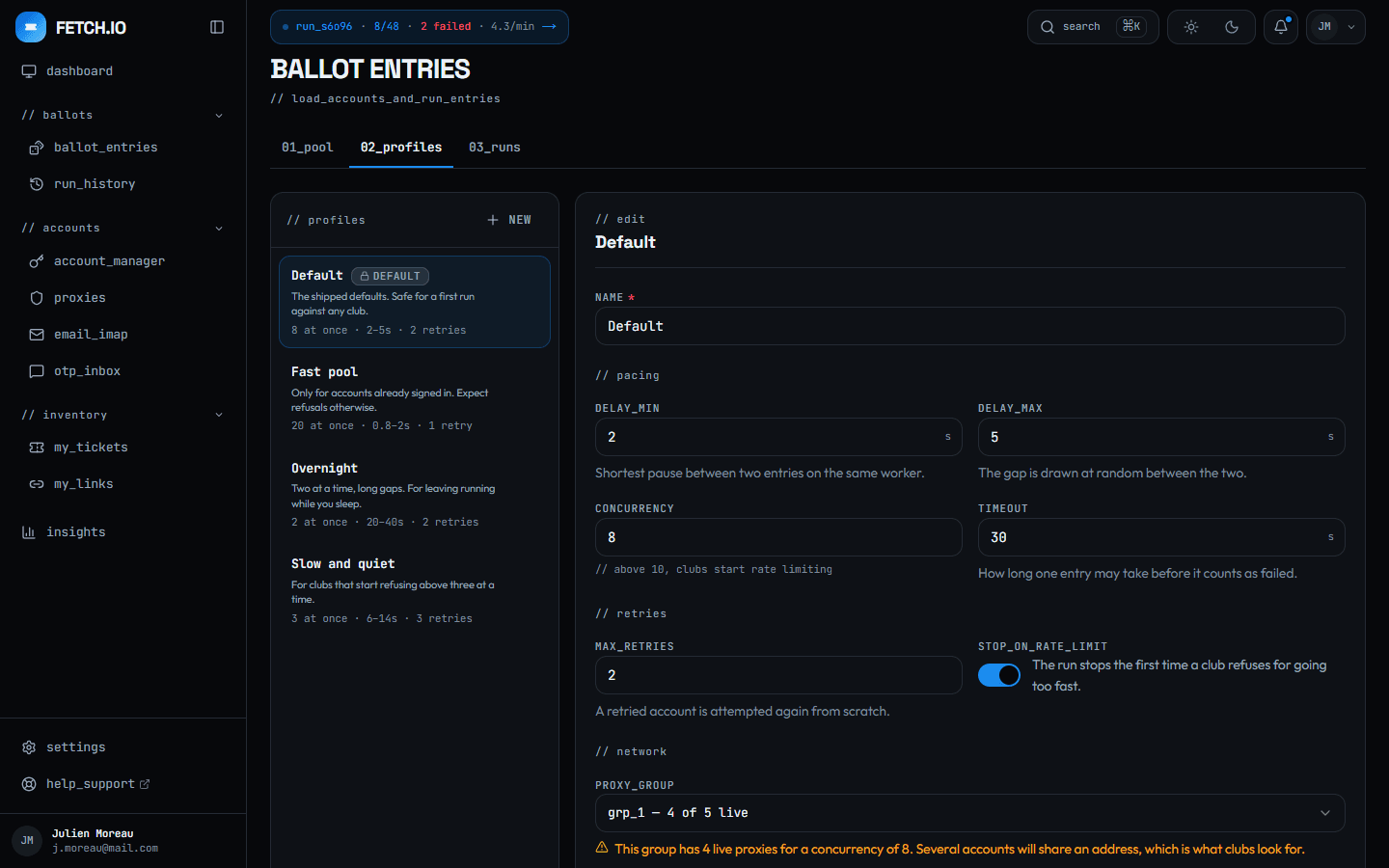
A profile is how a run behaves: how many at once, how long between attempts, how many retries, which proxy group. Save it, name it, reuse it.
Ready-made profiles for a first run, a fast pool or overnight
Warns when a proxy group is too small for the concurrency
Can stop the run the first time a club refuses for speed
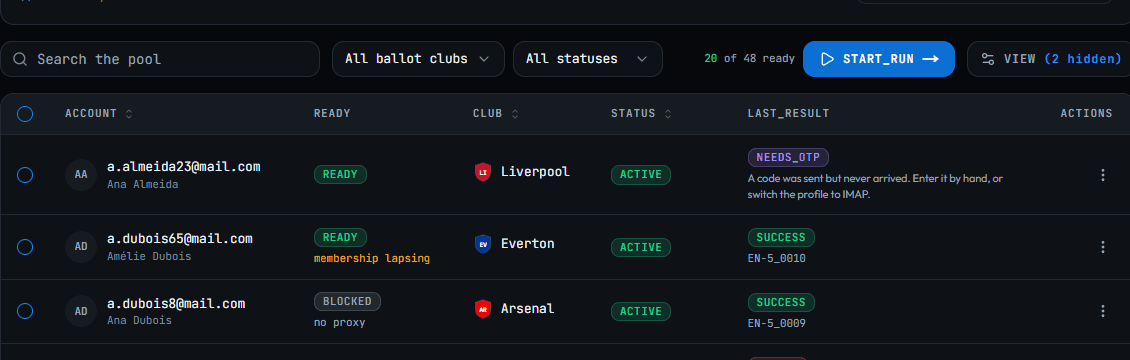
Before you press start, every account says whether it can run — and if not, why: no proxy, membership lapsing, a code that never arrived.
Ready and blocked counts at a glance
The last result of each account, in plain English
Fix the blockers first, not halfway through a run
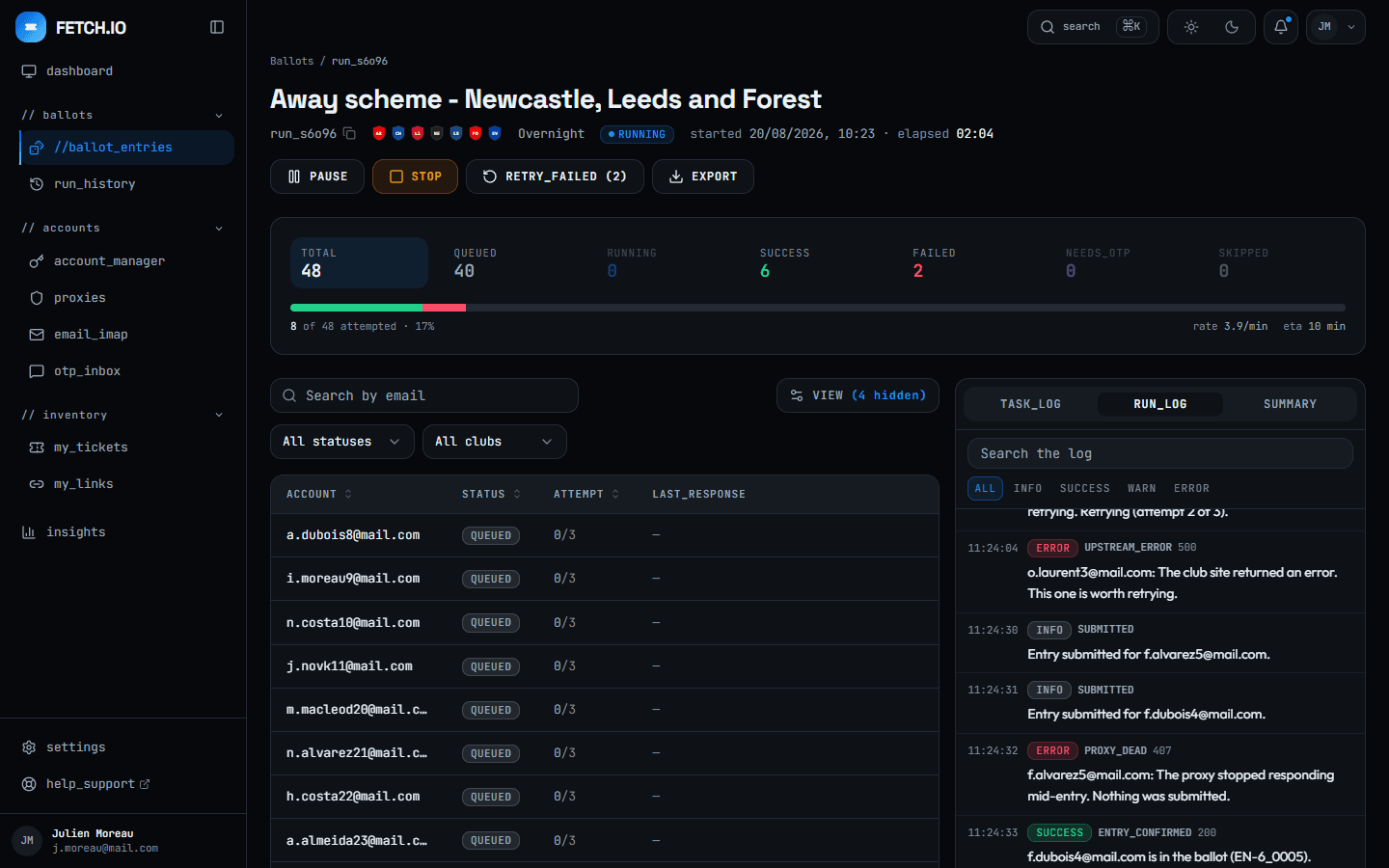
The monitor counts every attempt as it happens and shows each account’s timeline. When one fails it says which account, what the club said and what to change.
Live progress, rate and time remaining
Failures grouped by reason, not buried in a log
Retry the failed accounts without re-running the rest
 Arsenal
 Chelsea
 Forest
 Everton
 Liverpool
The other thirteen Premier League clubs are already in the registry behind the app. Whether one of them can be entered is a question of what its ticketing site allows, so they are switched on one at a time rather than claimed here in advance.
Start with the spreadsheet you already have. The quick-start guide walks from import to a first run.